


Page 18 - Machine installation instructions
P. 18
EN

                                                                5.4 Notifications

                                                                System notifications
                                                                Latest news and updates from the Sunseeker team.

                                                                Device notifications

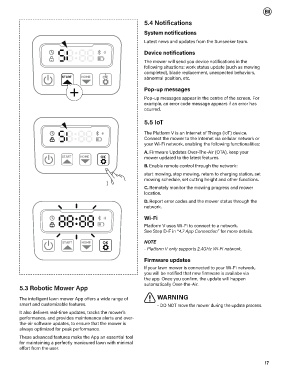
                                                                The mower will send you device notifications in the
                                                                following situations: work status update (such as mowing
                                                                completed), blade replacement, unexpected behaviors,
                            START   HOME      OK                abnormal position, etc.

                                                                Pop-up messages

                                                                Pop-up messages appear in the centre of the screen. For
                                                                example, an error code message appears if an error has
                                                                ccurred.

                                                                5.5 IoT

                                                                The Platform V is an Internet of Things (IoT) device.
                                                                Connect the mower to the Internet via cellular network or
                                                                your Wi-Fi network, enabling the following functionalities:
                                                                A. Firmware Updates Over-The-Air (OTA), keep your
                            START   HOME     OK                 mower updated to the latest features.
                                                                B. Enable remote control through the network:
                                                                start mowing, stop mowing, return to charging station, set
                                                                mowing schedule, set cutting height and other functions.
                                                                C. Remotely monitor the mowing progress and mower
                                                                location.
                                                                D. Report error codes and the mower status through the
                                                                network.

                                                                Wi-Fi
                                                                Platform V uses Wi-Fi to connect to a network.
                                                                See Step D-F in “4.7 App Connection” for more details.

                            START   HOME      OK                NOTE
                                                                - Platform V only supports 2.4GHz Wi-Fi network.

                                                                Firmware updates
                                                                If your lawn mower is connected to your Wi-Fi network,
                                                                you will be notified that new firmware is availabe via
                                                                the app. Once you confirm, the update will happen
          5.3 Robotic Mower App                                 automatically Over-the-Air.

          The intelligent lawn mower App offers a wide range of      WARNING
          smart and customizable features.                           - DO NOT move the mower during the update process.
          It also delivers real-time updates, tracks the mower's
          performance, and provides maintenance alerts and over-
          the-air software updates, to ensure that the mower is
          always optimized for peak performance.

          These advanced features make the App an essential tool
          for maintaining a perfectly manicured lawn with minimal
          effort from the user.


                                                                                                                    17

