


Page 16 - Machine installation instructions
P. 16
EN

                                                                D. Configure your Wi-Fi for the machine in the App.
                                                                The machine needs to be connected to the same Wi-Fi
                                                                as your mobile phone. Enter your home WiFi name and
                                                                password.
                                                                E. Connect to the Wi-Fi. After successfully connecting to
                                                                Wi-Fi, the Wi-Fi icon on the robot and APP will light up.
                             START    HOME     OK               F. Name your robot.

                            START    HOME     OK                NOTE
                                                                - When necessary, the app will request access to Bluetooth
                                                                and Wi-Fi networking, to ensure proper setup and future
                                                                functionality, grant access to these features.


                              START   HOME    OK

                             START   HOME    OK


 ROBOTIC LAWNMOVER
 RMV1001M20V
 20V   n 0 : 2800/min  Multi-zone
 Ø 18 cm    7,8 kg
 IPX5  55
 ZHEJIANG SUNSEEKER INDUSTRIAL CO.,LTD  Our APP makes the working area setup simple for you.
 988, Jinde Rd, Jiangdong Industrial Park, Jinhua,   SN:  2401168000XX00000001  MANUAL
 ROBOTIC LAWNMOVER
 Zhejiang, 321000, China  Manufacturing date:  01/2024
 20V   n 0 : 2800/min  RMV1001M20V
 Ø 18 cm    7,8 kg  Use your smartphone at your fingertips and follow the
 IPX5  55
 ZHEJIANG SUNSEEKER INDUSTRIAL CO.,LTD  instructions on App step by step.
 988, Jinde Rd, Jiangdong Industrial Park, Jinhua,   SN:  2401168000XX00000001  MANUAL
 Zhejiang, 321000, China
 Manufacturing date:  01/2024
          4.7 App Connection
          A. Make sure that the machine is on the charging station
          and being charged properly.
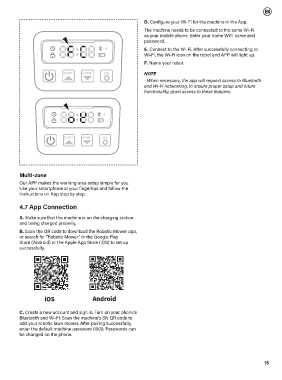
          B. Scan the QR code to download the Robotic Mower app,
          or search for "Robotic Mower" in the Google Play
          Store (Android) or the Apple App Store (iOS) to set up
          successfully.


                     IOS                  Android
                    iOS                  Android
                    IOS                  Android
          C. Create a new account and sign in. Turn on your phone’s
          Bluetooth and Wi-Fi. Scan the machine’s SN QR code to
          add your robotic lawn mower. After pairing successfully,
          enter the default machine password 0000. Passwords can
          be changed on the phone.


                                                                                                                    15

